First, look at this example:
<!DOCTYPE html>
<html lang="en">
<head>
    <meta charset="UTF-8">
    <title>Title</title>
</head>
<body>
<div id="countp"></div>
</body>
<script>
    const countp=document.getElementById("countp");
    for(var ps=1; ps<101; ps++){
        const newp=document.createElement("p");
        newp.innerHTML=`<p id="love${ps}" style="cursor: pointer">I love DevsForDevs x${ps}</p>`;
        countp.appendChild(newp);
    }
</script>
The result would be "I love DevsForDevs" displaying 100 times.
If I want to make this function come true when I click each of element <p>, what do you want to do ?
alert(`It's my ${count} time to tell you that I super love DevsForDevs! `)Well, some people may think I could add "onclick=`love${count}`'". I could be when the number of the element <p> less than 5, but there are 100 elements <p>. Impossible!
This is my solution:
<!DOCTYPE html>
<html lang="en">
<head>
    <meta charset="UTF-8">
    <title>Title</title>
</head>
<body>
<div id="countp"></div>
</body>
<script>
    const countp=document.getElementById("countp");
    for(var ps=1; ps<101; ps++){
        const newp=document.createElement("p");
        newp.innerHTML=`<p id="love${ps}" style="cursor: pointer">I love DevsForDevs x${ps}</p>`;
        countp.appendChild(newp);
    }

    countp.addEventListener('click', function(event) {
        if (event.target.tagName === 'P') {
            const loveCount = parseInt(event.target.id.match(/\d+/)[0]);
            alert(`It's my ${ps} time to tell you that I super love DevsForDevs! `)
        }
    })
</script>
</html>
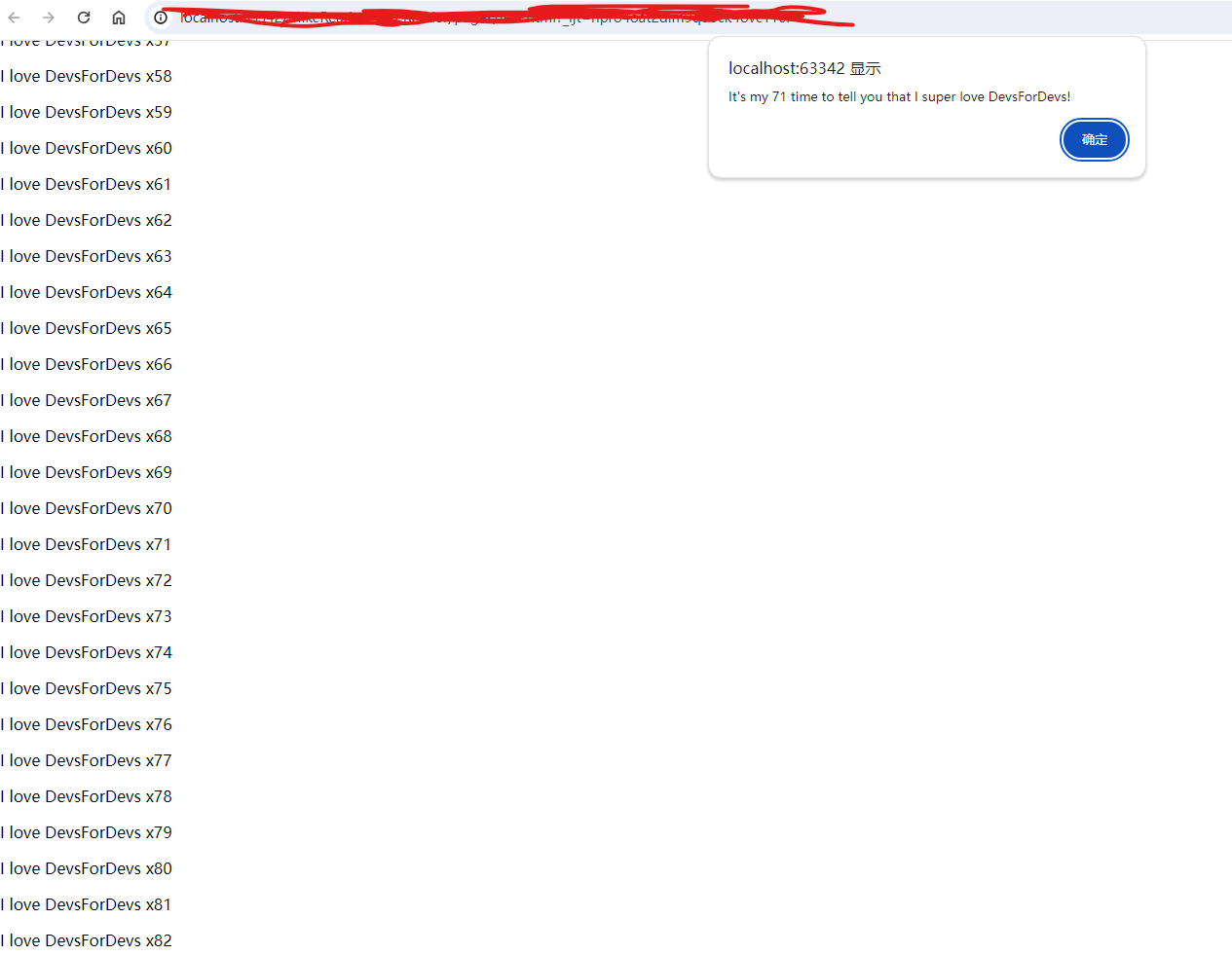
The result:
This is a very small tip to help you to solve the function of many similar buttons. I hope you like it!